Link to article: https://gist.github.com/probonopd/9feb7c20257af5dd915e3a9f2d1f2277?permalink_comment_id=4749746
This OUTDATED article gets posted all the time. The full story is the guy is a massive FreeBSD fan so he is trying to convince more people to keep on using Xorg because he wants to make sure it isn’t abandoned. Reason for that being that Wayland is built with Linux in mind and would not work under FreeBSD without a lot of effort bwing put in as it uses some Linux-specific components or libraries.
Let’s go through the article point by point:
Wayland is broken by design:
-
A crash in the window manager takes down all running applications: Yes, because the compositor IS the server, window manager AND compositor at the same time.
-
You cannot do a lot of things: What, like allowing Windows to see your keystrokes, which makes developing a keylogger absolutely trivial?
-
There is not /usr/bin/wayland: Yes, because Wayland is a set of protocols, which a bunch of projects can implement as few or as many of, as they see fit, thus avoiding the issue of “unmaintainable mess” that has plagued Xorg for years.
-
It offloads work to the window manager: Again, yes, that’s a part of its structure: do the protocols, then let the compositor implement them. That way, you have multiple implementations running simultaneously that are well integrated with their window managers and thus more efficient and performant. It also means that when a compositor suffers from too much cruft, we can just make a new one, while application developers wouldn’t really have anything to change because if their application works on Wayland, then it works on different compositors (unless it is made specifically for GNOME, or specifically for wlroots, like wlr-randr)
…so what works on DE 1, doesn’t necessarily work on DE 2: True, because oftentimes, it doesn’t need to. Not implementing features can lead to a more lean and streamlined software solution. However, sometimes features are necessary and only implemented in some compositors. This usually happens because the universal solution is not ready. KDE are often known to do this with Plasma and KWin.
- Wayland breaks screen recording applications: Correction: The following screen recording applications were not built to support Wayland (because Wayland is new to them or they just decided not to, or they were either too busy or too irresponsible enough to realise Wayland is coming, and has been for over 10 years. In defence of the devs, they probably wanted to make sure Wayland will become stable enough, but it has been the default even on Debian for many years now, so…
In terms of the applications, I’m not aware of many of them, and for this sort of application, I’m sire alot of work is required to change the graphical backend, so I understood that some smaller projects gave up, but OBS has been working on Wayland for quite a while. Is it perfect? I don’t think so, but back when Brodie Robertson was using Hyprland, he was recording his videos using OBS. This article is quite outdated.
- Wayland breaks screen sharing applications:
As the update shows, Jitsi now does work on Wayland.
Zoom only seemed to work on gnome, BUT if you open up the Link to the zoom issue and read through the comments, there is clearly a person that clearly states that they changed /etc/os-release from PureOS to debian and it worked for them, all because of some pointless limitations enforced by the Zoom developers. As the person posting the issue states “Currently, the zoom application has put an arbirtrary restriction on screensharing so it ONLY works on GNOME, when the api being used works on all wayland desktops.” Read that again. It’s a pointless restriction put there by the Zoom team because they couldn’t be bothered to test anything non-GNOME.
And the last issue is a problem with the article writer’s own appimage. I don’t know about that one.
- Wayland breaks automation software
As stated IN YOUR FACE, it is an application that works on X11 only. Yes, Wayland is not made to use such applications, but it doesn’t mean they can’t exist. Every heard of ydotool (remember that name)? Now you have.
Next up, we have 3 issues about GNOME and KDE global menus (1 for GNOME, 2 for KDE). From the little I know about global menus and using these projects, as well as considering that they are both incredibly stable on Wayland and Fedora KDE will be dropping Xorg completely, I think it’s safe to assume these issues have probably been fixed. Please correct me if I’m wrong.
-
Wayland breaks AppImages that don’t ship a special QT plugin: Great! Just ship the plugins then! Problem solved! Also, quote from the article: “However, there is a workaround: “AppImages which ship just the XCB plugin will automatically fallback to running in xwayland mode” (see below).”
-
Wayland breaks Redshift: Once again, a program built for Xorg doesn’t always work on Wayland. Especially if it works with the compositor, like a colour temperature control application, or a wallpaper setter. The article quotes that “Redshift does not support Wayland since it offers no way to adjust the color temperature” which is not true, as proven by Redshift alternatives like Gammastep.
-
Wayland breaks global hotkeys: I present to you: Hyprland (where you can get global hotkeys). Now, it is normally not allowed by design, as a security measure, but Hyprland has not allowed that to stop them from implementing a solution where you can choose keys that will be passed on to the application. Boom, problem solved. Unfortunately, it doesn’t seem to be implemented anywhere else, as far as I know.
-
Wayland does not work for XFCE: Come back to me in late 2024 after XFCE 4.20, which will introduce Wayland support, has been released. Also, https://wiki.xfce.org/releng/wayland_roadmap
-
Wayland does not work properly on Nvidia Hardware: It keeps on getting closer but is not there yet, or so I’ve heard. Apparently, the issue is with the proprietary drivers, as noveau works well. But I use AMD, so I’m only working off rumours and opinions here.
-
Wayland does not work properly on Intel hardware: Again, I’m using AMD, so I can’t confirm or deny this, but considering the Intel drivers are open source, and I’ve heard about many, many improvements made on the Intel side of things, I think it would be reasonable to assume it has been fixed.
Edit: As multiple Intel users have pointed out in the comments, there seem to be no issues on Wayland with Intel hardware.
-
Wayland prevents GUI applications from running as root: This one has been crossed out as the article writer admits there is a solution
-
Wayland is biased towards Linux and breaks BSD: Arguments seem valid, and I’m guessing, are correct. This one is likely true and will remain so for the foreseeable future.
Edit: And yet, it seems that there are Wayland compositors for FreeBSD, so the above might only be true for OpenBSD and others.
-
Wayland complicates server side decorations: From what I’ve heard, this is true, mainly something to do with some GNOME agenda, as the article states. I think that one is true.
-
Wayland breaks windows raising/activating themselves: The linked issue is closed and seems to be resolved. There is a mention of a WIP protocol at the time (2019) that woukd fix this. I had difficulty following the discussion, but I think this has been fixed.
-
Wayland breaks RescueTime: Because RescueTime depends on X11-only tools like xprop.
-
Wayland breaks window manager: What you’re describing is Wayland breaking X11-only tools for doing various tasks in a window manager. They are X11 tools, so of course they don’t work on Wayland. I’m not sure if there are alternatives, but I’d guess there probably are. I know for a fact that Xrandr has alternatives like wlr-randr and kanshi for wlroots.
-
Wayland requires {instert WM here} to implement Xorg-like functionality:Yes, it does.
Quote from article: "As it currently stands minor WMs and DEs do not even intend to support Wayland given the sheer complexity of writing all the code required to support the above features. "
DEs: GNOME, KDE, MATE, XFCE, Cinnamon, Budgie, Enlightenment, and recently even Pantheon have either announced to start work on, have started work on, or already support Wayland.
Window managers: Qtile is doing it. Xmonad wants to hire a dev to do it. Dwm has a spiritual successor called dwl. i3 has a drop-in replacement called sway. Openbox has 2 spiritual successors called labwc and waybox. Now you might notice one of the biggest WMs is missing on here: AwesomeWM, which is such a shame. The Awesome devs have said they would be okay with someone taking on that challenge (which has already been attempted, as evidenced by the existence of way-cooler), but it seems that they wouldn’t do it themselves.
As for the projects mentioned in the article, (JWM, TWM, XDM, IceWM) they are too small and obscure, and will likely fade away with Xorg.
-
Wayland breaks _NET_WM_STATE_SKIP_TASKBAR protocol I don’t know about that one, ao I’ll assume it is still the case. Edit: Ignoring the fact that the link is broken, it basically just links to a docs change where skipTaskbar is marked as unsupported on Linux. Link: https://github.com/electron/electron/pull/33226
-
Wayland breaks NoMachine NX The link points to a page that has this marked as “SOLVED, Released in version 8” so I’m guessing it has been solved.
-
Wayland breaks Xclip: As you said it yourself, Xclip is an X11 application, so it doesn’t work on Wayland. Of course it wouldn’t work on Wayland. With Wayland, we’re trying to prevent what happened with Xorg from happening again, or am I wrong?
Edit: As pointed out by some people in the comments, there are also alternatives to xclip like wl-clipboard.
-
Wayland breaks SUDO_ASKPASS: That link seems to point to the way this issue has been resolved so I don’t see your point.
-
Wayland breaks X11 atoms: I lack knowledge on the topic so will assume this to be a valid argument
-
Wayland break games: I’m 99% sure you can disable Vsync??? But I’m not a gamer. Also, WINE on Wayland is getting better and better. Soon enough, I hope the subpar performance will become better performance (when compared to Xorg)
-
Wayland breaks xdotool: Well, yes. There is ydotool, but you’re looking for a 1-to-1 replacement and I’m not sure if ydotool fits the bill for that.
-
Wayland breaks xkill: Well, yes. Again. It is an X application, so of course it does. Though for some reason I remember it working once on wayland. Must have been an xwayland app, or maybe I’m just misremembering this.
-
Wayland breaks screensavers: Yeah, that seems to be the case.
-
Wayland breaks setting the window position: That is a WIP for Plasma, not sure about any other projects, so assume true for anything else.
-
Wayland breaks color management: Not anymore. That is being actively worked on.
-
Wayland breaks DRM leasing: While not rhat familiar with the issue, my understanding of the topic is the article is correct: not all compositors support it.
-
Wayland breaks in-home streaming: Not familiar with this, so will assume true.
-
Wayland breaks NetWM/EWMH: Yeah, that seems to be the case.
-
Wayland breaks window icons: Yeah, that seems to be the case, as said in the article, when no .desktop files are used.
And that concludes my response to this article based on my fairly limited knowledge on the topic. If I got anything wrong, please, please let me know. As you can see my knowledge is quite limited, and as such, any corrections (preferably backed up with evidence) would be appreciated
What a stupid article. It’s like saying “stop using electric vehicles because you can’t use gas stations”. I don’t understand why he’s so adamant about this? It’s not like Wayland had about 20 years of extra time to develop like X11. People keep working on it, and it takes time to polish things.
The article is 3 years old and some things are only presently being fixed NOW and due to filter down to stable distros in 2024. Furthermore wayland proponents have been claiming its totally ready for prime time and not broken at all since 2015 while promoting AMD GPUs that at that point in time still sucked hairy balls.
As someone with 0 investment in this whole ecosystem, I saw and perused this article like a week ago, and my immediate impression was “Why is this guy constantly saying ‘Wayland breaks XXXXX’? Wayland isn’t breaking anything, it’s new tech. Wayland has certain features, or it doesn’t or doesn’t yet. The only folks breaking anything are those swapping use of X with Wayland, within various apps or tech stacks, potentially prematurely, where Wayland doesn’t yet have the full set of features needed.”
Whoever this is seems to have a really poor understanding of long-term software development, despite being way more invested in it than I am.
Wow, I couldn’t have put this better myself. This is basically the short and simple versions of most of these arguments.
It feels like “English is broken because my friend only knows German.” to me. English works just fine. Teach your friend English.
English is Wayland. German is X11. Friend is software.
It would be great it implementations had a full set of features 15 years in just saying.
That is why I never switched to Linux. I mean, it is over 30 years now and it still doesn’t do everything. Sure it does some cool stuff—but not “everything” I could do before. What is taking them so long?
I mean, really great point.
I switched to using Linux in 2003 and have by my assessment got quite a bit of value over the last 20 years maybe you shouldn’t have waited?
TLDR of linked gist: wayland is not X therefore it is bad. end of.
Wayland breaks Xclip: As you said it yourself, Xclip is an X11 application, so it doesn’t work on Wayland. Of course it wouldn’t work on Wayland. With Wayland, we’re trying to prevent what happened with Xorg from happening again, or am I wrong?
also, https://github.com/bugaevc/wl-clipboard. perhaps all OP (of gist) needs is a simple shim that can convert calls to xclip to wl-copy/paste? that doesn’t seem too hard to make compared to keeping X.org alive I’d say (perhaps they should try making it if it’s that much of a problem)
Wayland breaks screensavers: Yeah, that seems to be the case.
from the dev of xscreensaver at https://www.jwz.org/blog/2023/09/wayland-and-screen-savers/ :
[…] Adding screen savers to Wayland is not simply a matter of “port the XScreenSaver daemon”, because under the Wayland model, screen blanking and locking should not be a third-party user-space app; much of the logic must be embedded into the display manager itself. This is a good thing! It is a better model than what we have under X11. […]
[…] Under X11, you run XScreenSaver, which is a user-space program that tries really hard to keep the screen locked and never crash. It is very good at this, but that it needs to try so hard in the first place is a fundamental design flaw of X11. […]
other people can comment on the parts they know about, these are two i know of off the top of my head
Who even uses screensavers these days?
businesses that want to put their logo or slogan bouncing around on monitors of inactive computers
that’s about it
I still install the MatrixGL screensaver every once in a while for shits and giggles on a new install until the gimmick wears out.
Screen locking has obvious use cases.
Screen locking yes, but that’s not screen saver.
In the modern era, the main purpose of a screen saver is to lock the screen, and has been for most users for a long time. Many of us would also like to have pretty pictures on our locked screens.
It no longer has anything to do with preventing burn-in, so you’re right from a certain point of view.
I dunno, my OLED panel has some notable image retention issues - and a screensaver does appear to help in that regard.
But locking the screen is not the purpose of xscreensaver. It’s mostly just an overlay with animations.
On X11 systems, XScreenSaver is two things: it is both a large collection of screen savers; and it is also the framework for blanking and locking the screen.
Screenlocking works just fine. That was not the issue mentioned.
Eh, I went back to screen savers due to my use of OLED panels. Better than a static lock-screen image for sure.
Wayland does not work properly on Intel hardware: Again, I’m using AMD, so I can’t confirm or deny this, but considering the Intel drivers are open source, and I’ve heard about many, many improvements made on the Intel side of things, I think it would be reasonable to assume it has been fixed.
Posting this from Plasma Wayland on Intel right now. If something is broken, it’s something not apparent to me.
No problem with GNOME and hyprland here, on 2 different laptops.
Good to know
Dual monitor? Wayland on my intel works fine for single screen, but as soon as I plug in a 4k monitor, it gets black cube shadow like artifacts in KDE Plasma 5. A couple of kernel command line options for the module has not helped, either.
I’m fairly sure I have run this system dual-monitor though I don’t do it routinely. I’ll check sometime this weekend and let you know, if you are interested for comparison’s sake.
I most certainly am. :)
I’ve just finished watching Generation Kill on a Thinkpad T480s (i7-8650u). It was plugged into the TV, and it plus the laptops screen worked fine.
Running arch, gnome, wayland
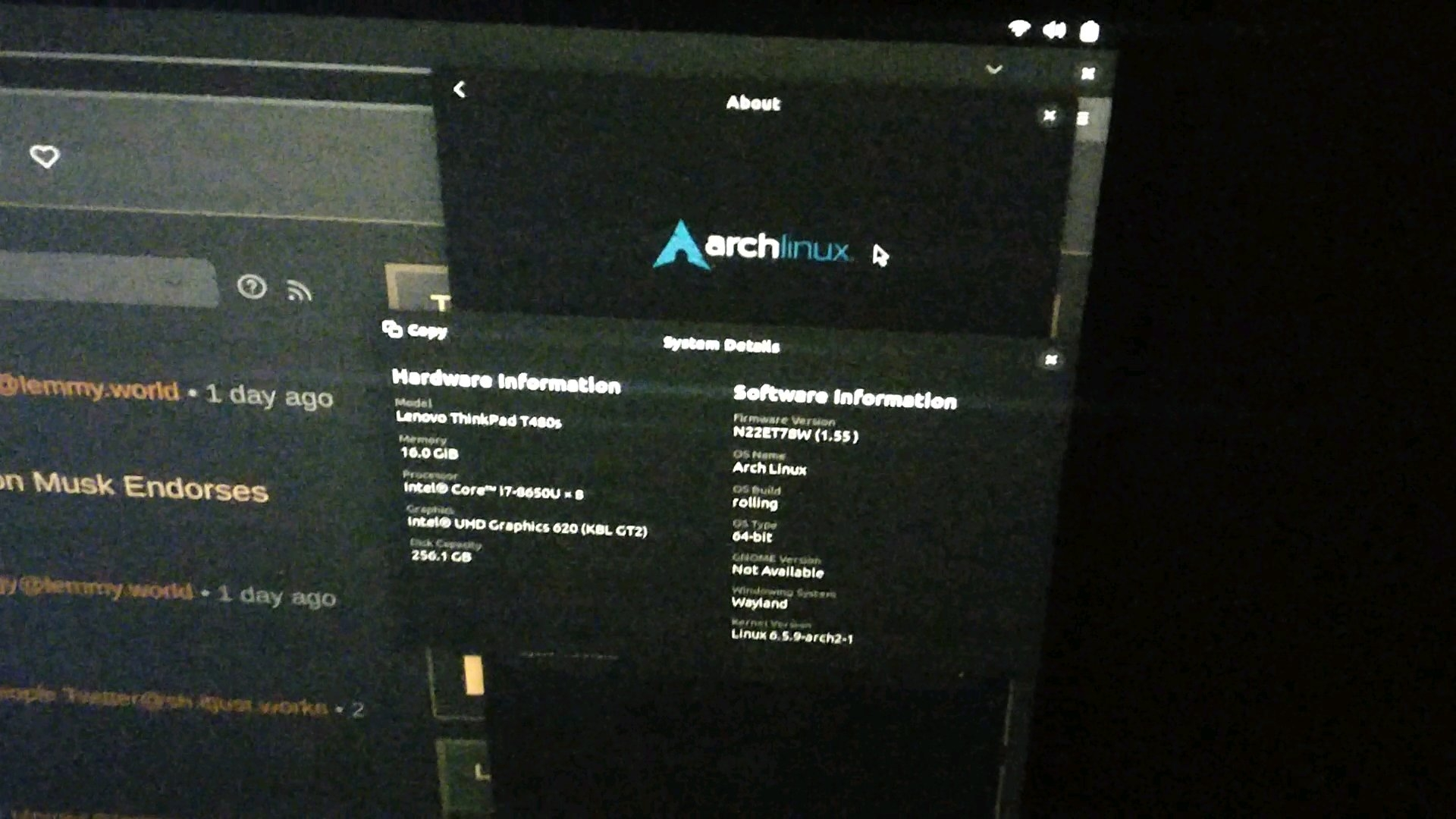
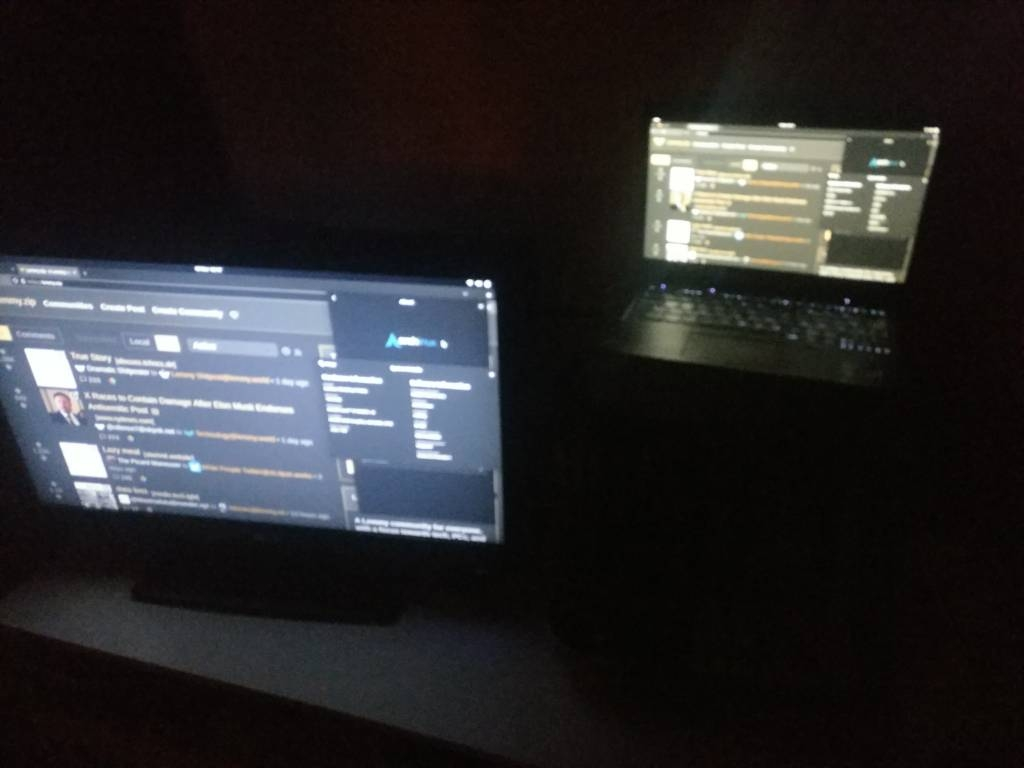
Worked with no drama, for me at least. Hooked it to my TV because that was most convenient. USB-C to HDMI adapter, I just had to tell it where they were in relation to each other and set scaling on the TV. Fonts look a little screwy on that dialogue box, but only in the screenshot - and when composing this post I realized even there they look OK if I don’t view that part of the screenshot on the 4K display.
Edit: No, untrue. I think I had the wrong glasses on. The fonts on the 1080p display are fine in reality, but the screenshot is distorting everything on that panel a bit. Again, screenshot only though. All good otherwise. I can’t see any other problem after using it a bit like this though.
I would love to see your kernel options line from grub, assuming it doesn’t have any secrets in it. Please.
No problem, I’ve done no magic of any kind there. This is what the manjaro installer created only.
cat /proc/cmdline
BOOT_IMAGE=/boot/vmlinuz-6.1-x86_64 root=UUID=99ed8aec-cdfc-44d6-8217-c85d3db09036 rw quiet cryptdevice=UUID=9bca8872-3f01-472a-b196-ef19cde6b5f8:luks-9bca8872-3f01-472a-b196-ef19cde6b5f8 root=/dev/mapper/luks-9bca8872-3f01-472a-b196-ef19cde6b5f8 udev.log_priority=3
Thank you. I figured there be some modeset style options, but nah, you have none. I consider you quite lucky and admit to being a little jealous. :)
XKCD#1172 is very relevant here.
Very
A crash in the window manager takes down all running applications: Yes, because the compositor IS the server, window manager AND compositor at the same time.
Maybe not anymore in the future: https://blog.davidedmundson.co.uk/blog/qt6_wayland_robustness/
Wayland is biased towards Linux and breaks BSD
FreeBSD already has working Wayland compositors by the way.
Oh yeah, I forgot about the work on Plasma and QT6.
I didn’t know that about FreeBSD. Will add it.
FreeBSD’s Wayland support is through a Linux compatibility library. The major Wayland implementations are Linux only and there’s no way around it other than implementing Linux libraries like FreeBSD did.
That something entirely different than the protocol being biased towards Linux. It’s like complaining that TCP/IP is biased towards Linux because the Linux kernel’s networking module can’t be used in BSD kernels.
Clearly biased towards BSD as both MacOS and Windows started off with the BSD TCP/IP stack.
Many operating systems use the WiFi from BSD as well.
Wayland break games
The Steam Deck uses wayland so I guess that’s not true (anymore?)
Valve created gamescope, that’s a microcompositor just for games. Other Wayland compositors may still break games.
I was very sad when KDE reintroduced the concept of “primary screen”.
It used to just be the current screen, which meant that when I wanted to game or watch something on my projector, I just dragged steam or the folder with movies to the projector screen, then launched whatever I wanted, and it appeared on the screen I wanted it on.
Now I have to jerryrig kwin and a custom steam-in-gamescope Launcher to have games launch there. As a side effect, steam thinks my PC is a steam deck and therefore can’t be exited from inside of it, I have to right click the tray icon.
Horribly kludgy compared to “click launch game button on screen x, game opens on screen x”
deleted by creator
The only thing I can’t get working on Sunshine on Wayland is a visible mouse cursor. Makes streaming Baldur’s Gate 3 with a cursor a pain.
deleted by creator
In what kind of world is a missing feature or a broken feautre due to incomplete migration to a new ecosystem, a reason to boycott that new ecosystem?? Those are simply not valid arguments to me.
They are obviously valid arguments to say, hey, this work is not completed, is not mature enough etc. So, therefore, you stay with previous ecosystem. But to boycott it because of that? That does not make sense to me at all.
Wayland … uses some Linux-specific components or libraries
No. Wayland is a protocol, not software.
Yeah, I was going to ask if the Wayland protocol included some Linux-kernel-specific data structures or something that would make it somehow more awkward to implement on non-Linux kernels or something.
Like if I created a protocol that included sending data encoded using the Python serialization framework called “pickle”, one could say that was a Python-specific protocol in that while it would be possible to use that protocol from other languages, it would be very weird and awkward to do so at best.
Not really knowing much about the specifics of Wayland, I wouldn’t truly know if there could possibly be anything Linux-specific in Wayland. But as far as I know, it’s entirely possible theshatterstone54 knows something I don’t.
What they are talking about is that some of the Wayland compositors rely on things like libinput and libdrm which are Linux specific.
This is not “Wayland” really but, from the point of view of a regular user, it may as well be. As the OP points out, there is no /usr/bin/Wayland
It is not really a great criticism although it must be frustrating for the BSD folks and others. Of course, the answer like always is to contribute. Nothing stopping anybody from taking wlroots ( or whatever ) and adding abstractions that make it more portable.
Non-Linux operating systems have already added Wayland support ( like Haiku ). If I had the time, I would add it to SerenityOS myself.
Actually, if I had the time, I might write a WaylandServer for X. First, it would be funny. Second, the people that do not want to move could stay on X forever even when everything stops supporting it. I would have to make sure that my WaylandServer could run XWayland of course.
xorg is going to die eventually. probably long after the xorg fanbois, but it will die - and wayland or something better will take its place.
I’m okay if Xorg dies off. I just hope that the stuff I use everyday works reliably with Wayland before it does.
I’m glad to have some of the more reasonable Xorg users express their opinions here. I share in this opinion.
deleted by creator
Was it Arcan or something else?
RavynOS?
deleted by creator
Man. That is a fair and well thought over response.
I appreciate this! Articles like this is what I’m on lemmy for!
Because calling your post a response would not do it justice enough. An article indeed.
♥️

???
Please explain
The same wayland bait is posted every week from new ban evading accounts which eventually also get banned.
They keep coming and getting shown the door, like Barney here.The worst part is that person is using the Wayland bait to push anti-trans propaganda.
Yea, don’t hesitate to report them.
Honestly, I literally couldn’t give a shit that anyone criticizes Wayland itself, but they’re a generally toxic user that’s easily recognizable by their constant hateboner for Wayland (among other things).
Oh ok. That makes sense. Thanks
all of these arguments are great and all but as an enduser: I just want things to work
I don’t care about the why’s or hows. A lot of these arguments explain and justify breakage
I am an enduser. I expect things to work, specifically I expect the programs I already use to continue working. I expect to lose no functionality
If they don’t work, then clearly its broken. If I lose functionality, Wayland clearly wasn’t ready
Wayland is ready for most people. You’re free to keep using X11 if your use case isn’t covered yet.
If they don’t work, then clearly its broken.
Protocols are fine. Clients may speak one or another protocol. But protocols aren’t broken when clients designed to speak one protocol fail to speak a different protocol. It’s like saying English is broken because my friend only knows German, except English is Wayland, German is X11 and my friend is clients. Wayland is always ready to listen to clients that speak Wayland.
deleted by creator
But Wayland’s technical merits are relevant in a subtle way. Wayland is maintainable. Xorg isn’t. That’s it, the single most important technical merit. Everyone works on Wayland. Nobody works on Xorg. If people decide to use X11 today, their issues are wontfix with the solution to use Wayland instead. They can’t fix the issues themselves because X11 is an unmaintainable mess. Xorg is on life support with the only purpose to serve Xwayland.
deleted by creator
for the end user, that is irrelevant
deleted by creator
I’m not a she but otherwise yes I agree
Yeah, especially the argument about Wayland compositors taking down all apps with them when they crash: that’s just bad, no need to sugarcoat that.
A better argument would be that it’s not true: KWin keeps Qt apps alive, and they’re working on extending that to all apps. As a result, in the only crash I’ve experienced, I only lost my Firefox window, and zero data as all my tabs and form entry values got restored when I started it again.
Wayland is great! Except for all list of not-a-bugs that I’d like to see fixed. Still, I’m not going back to X, so take that how you will.
What are the not-a-bugs? Things like covering up a Wayland window will block it’s rendering thread indefinitely with no way to detect it happens to handle it. This can lock up some games, or cause you to time out in a networked application. Some Wayland core folks don’t want applications to know if their window is visible or not because it’s mild information about a user’s attention that should be private. Every game dev on the other hand is asking “WTF!?” as it causes their games to break randomly.
Another mild example is that windows cannot be raised except by the user or by launching them. This is supposed to be a mild security precaution so a program can’t pop up a legitimate looking dialog over another application and trick the user. Realistically it means that applications can’t open and focus URL in your web or file browser. Instead they have to give you a notification telling you “Firefox is Ready” and make you do it manually.
A lot of this is slowly (painfully?) changing, and the adversarial nature is a bit frustrating. Wayland fixes so many little things that I find it well worth it though, and I say that as a game developer frustrated by many of the core design decisions.
Another mild example is that windows cannot be raised except by the user or by launching them. This is supposed to be a mild security precaution so a program can’t pop up a legitimate looking dialog over another application and trick the user. Realistically it means that applications can’t open and focus URL in your web or file browser. Instead they have to give you a notification telling you “Firefox is Ready” and make you do it manually.
I would like them to keep that behaviour. At least make it an option or allow whitelisting certain applications. Nothing I hate more in an OS than windows stealing focus without asking.
Focus stealing is one of the worst things in the world, I am so glad I haven’t had to deal with it since I switched to wayland. (Except for stupid firefox tabs stealing focus from other tabs, that still happens obviously and happened to me during a test for my university and almost invalidated my score)
Some Wayland core folks don’t want applications to know if their window is visible or not because it’s mild information about a user’s attention that should be private.
I do like that. I have encountered a number of bullshit things like HR mindless training videos (ok, the fourth time I’ve seen this guy contemplate accepting a bribe… I get it. Don’t accept bribes! Leave that shit to Clarence Thomas) or ad playbacks that refuse to proceed unless they are focused. It’s annoying as hell. The problem you point out also sounds really annoying.
What are the not-a-bugs? Things like covering up a Wayland window will block it’s rendering thread indefinitely with no way to detect it happens to handle it. This can lock up some games, or cause you to time out in a networked application. Some Wayland core folks don’t want applications to know if their window is visible or not because it’s mild information about a user’s attention that should be private. Every game dev on the other hand is asking “WTF!?” as it causes their games to break randomly
Please don’t make up what “Wayland core folks” think. You don’t know it, and your claims are waay off.
It’s not about security. It was intended to allow the compositor to throttle apps to improve efficiency… Which of course in practice doesn’t work like this at all, because OpenGL swap buffers and Vulkan FIFO presentation modes were never intended to be used this way.
As for why that hasn’t been fixed yet, it’s not as big of a problem anymore:
- Mesa (at least for Vulkan) and Xwayland gurantee one frame per second as a minimum refresh rate
- toolkits and libraries use mailbox presentation internally and check frame callbacks themselves for when to render
- xdg shell now contains a flag for apps to know to inhibit rendering because they’re hidden. That doesn’t guarantee that presentation won’t otherwise block though
- a (set of) protocol(s) is being worked on to replace frame callbacks with a mechanism actually suited for OpenGL and Vulkan
Another mild example is that windows cannot be raised except by the user or by launching them. This is supposed to be a mild security precaution so a program can’t pop up a legitimate looking dialog over another application and trick the user. Realistically it means that applications can’t open and focus URL in your web or file browser. Instead they have to give you a notification telling you “Firefox is Ready” and make you do it manually.
That’s not even close to how activation works on Wayland, and no, it’s not just a security thing, it’s a usability thing. Apps can only raise themselves if the currently focused app gives them focus, so that random apps can’t cover up what you’re working on just cause they need to show you an ad or an “important” pop up question or whatever. If it doesn’t work for a specific app, make a bug report about it to the app.
A bit of a zombie thread, but I’m not making anything up here. The blocking issue gets discussed a lot in gamedev circles, and there are issue threads that have been locked by folks with the power to do so because they just said “no”. One of them (Maybe Sebastian Wick? I don’t remember… doesn’t really matter) gave verbatim that use case where a video service they use would stop playing videos when the browser was in the background, and that is why they won’t report . Maybe they weren’t a “core” developer, but they had the ability to say “no” and end the discussion thread.
As for it being not a problem anymore, it still occurs even on Fedora 39. The 1 second present timeout still only works for XWayland, and that’s… not a great solution. Also, realistically unless SDL2, GLFW or whatever engine a gamedev is using handles it for them they just don’t have the time to worry about what GTK, Qt, or XDG shell does. We are already supporting multiple rendering APIs, and combining that with multiple UI libraries just to get a window to draw a triangle into is a combinatorial explosion. Last I remember reading from the SDL folks, they were waiting for the functionality to appear in Wayland before they could implement it, and they weren’t expecting anything to change soon either. Speaking personally, my current game project is single player so I can just pave over the timing issues when they come up:
Long frame detected: 6463.731931 ms. Skipping ahead!
The most frustrating part to me is much more meta. You get discussions with other game devs that have heard about this stuff and they continue to think that supporting Linux is just way too much work. Sometimes they are right, but rarely for the right reasons it seems. I believe in the glorious Wayland future… I just wish it would get here a bit faster. ;) On the other hand, if we rushed it and botched it then it would never arrive at all I suppose. (sigh)
As for how window activation works, you got me there. I just heard other people discussing that one, but it did explain why on Wayland I would just get “Firefox is ready” notifications when opening links instead of just showing me the page like X did. Though I’m quite happy that it’s gone now in Fedora 39. Progress is good!
The 1 second present timeout still only works for XWayland
Oof, I thought the corresponding MR for Wayland was merged… But it was from Sebastian and after he got into a heated discussion again and started cursing, the MR got closed by someone else :|
realistically unless SDL2, GLFW or whatever engine a gamedev is using handles it for them they just don’t have the time to worry about what GTK, Qt, or XDG shell does
SDL does handle it, but only for OpenGL; it can’t do anything about Vulkan. GLFW doesn’t do anything about it either, so that is pretty annoying.
I believe in the glorious Wayland future… I just wish it would get here a bit faster
Don’t we all. Let’s hope the current upstream approach to fix this issue gets somewhere sooner than later…